
You can copy any course you have access to and use it as the starting point for a new one. When you copy a course, its case assignments and (optionally) availability dates come with it. Learners are not copied, so once you've copied a course you will need to share the new course invite link with students in order for them to enroll in the new course.
Want to use a colleague’s course?
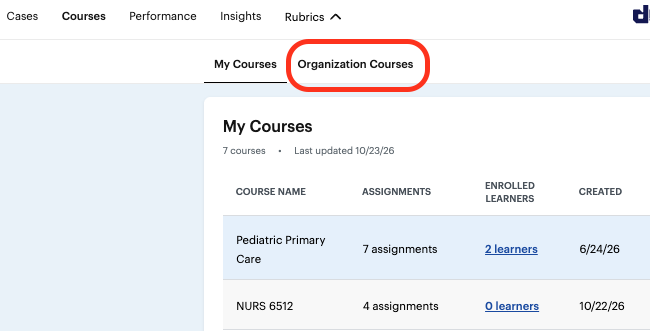
You can copy your own courses or any course in your organization. To find a colleague’s course, go to the “Organization Courses” tab in DDx.
Step by Step Guide
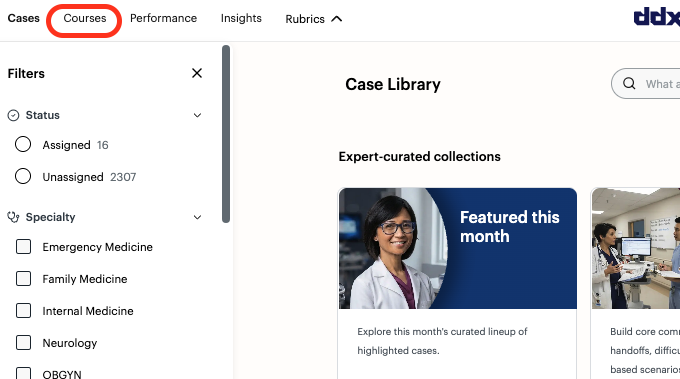
1. Go to Courses in the top left corner of DDx.
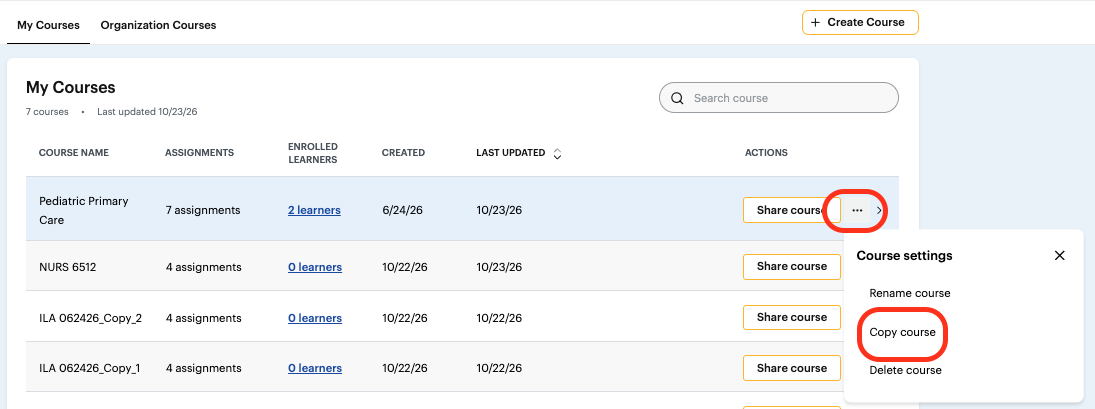
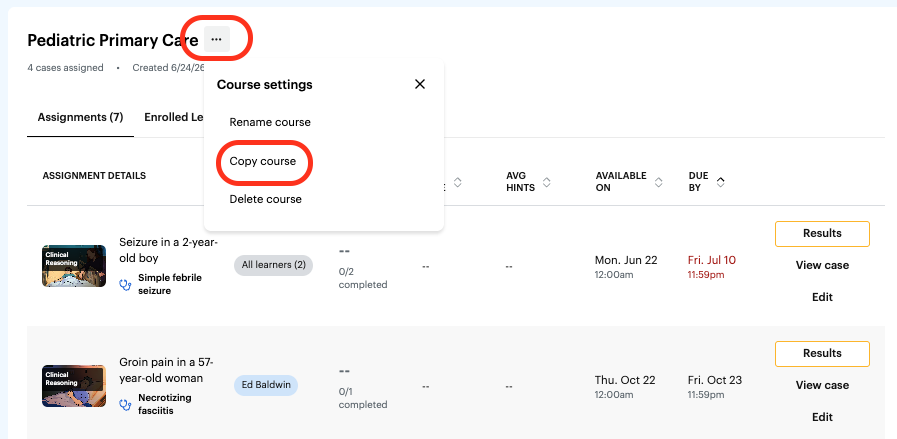
2. Select "Copy Course" from either the drop-down menu on your list of courses or on the individual course page.
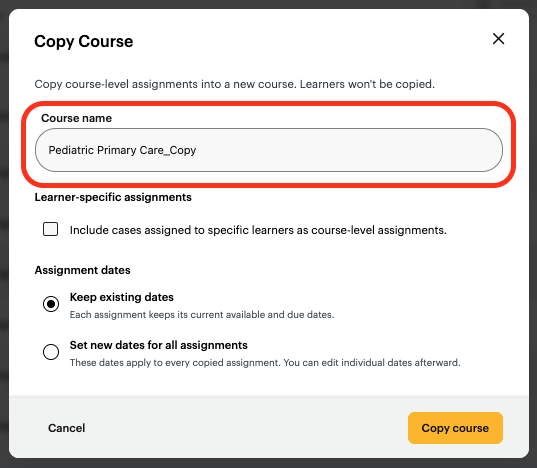
3. Rename your course (optional).
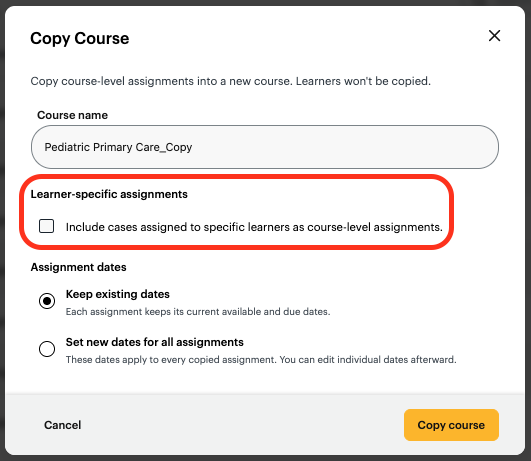
4. Decide whether to include learner-specific assignments if your original course has them. IMPORTANT: Learner-specific assignments are copied as course assignments. That means every learner in the new course will receive them, not just the learners they were originally assigned to.
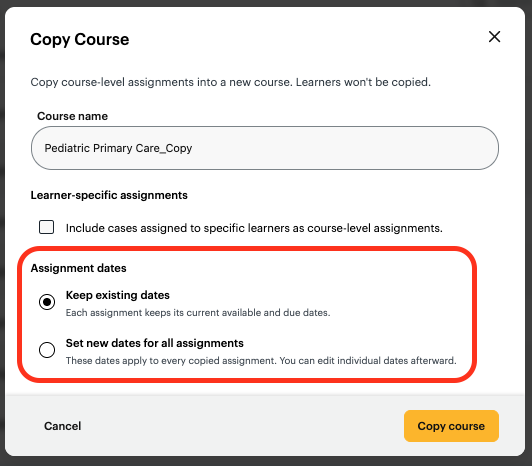
5. Choose your dates by picking one of these two options:
Keep the same dates: Each assignment keeps the availability dates from the original course.
Use the same dates for all assignments: Set one availability window that applies to every assignment in the new course.
Tip: If you want each assignment to have its own dates, copy the course first. You can then edit each assignment’s dates individually in the new course.
6. Select "Copy Course".