
Faculty have access to the relevant clinical details for each section of a case — called "key details" — so you can quickly compare them against what a learner submitted and use them to guide grading and feedback. These are the essential findings from the case itself, not a model of how the note should be written.
There are two places to view key details, depending on whether you're reviewing a case in general or a specific student's submission.
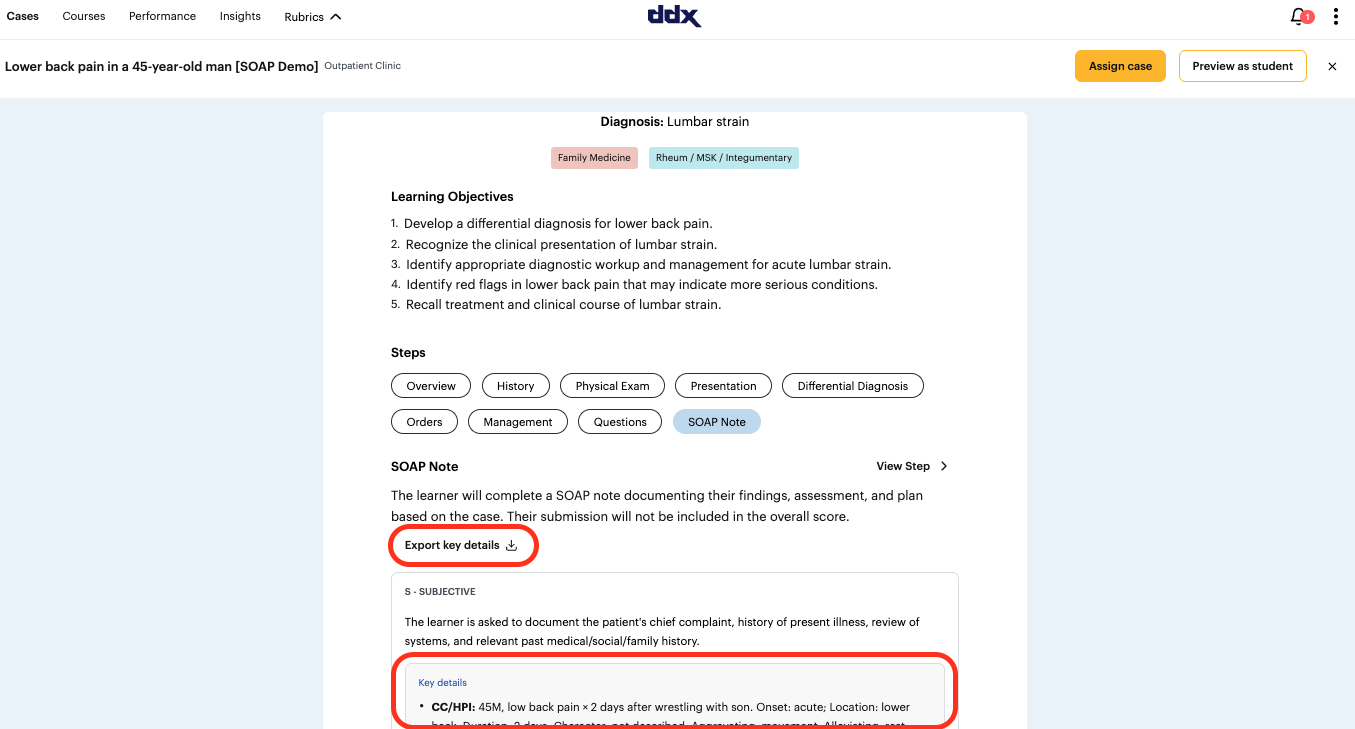
Option 1: From the case overview page
Click on the case you want to review.
Scroll down to Steps and select SOAP Note.
Use Expand all key details to view the key details inline under each section (Subjective, Objective, Assessment, Plan), or select Export key details to download them.
This view shows the key details for the case itself, independent of any one learner's submission — useful for prepping before you grade a batch of notes.
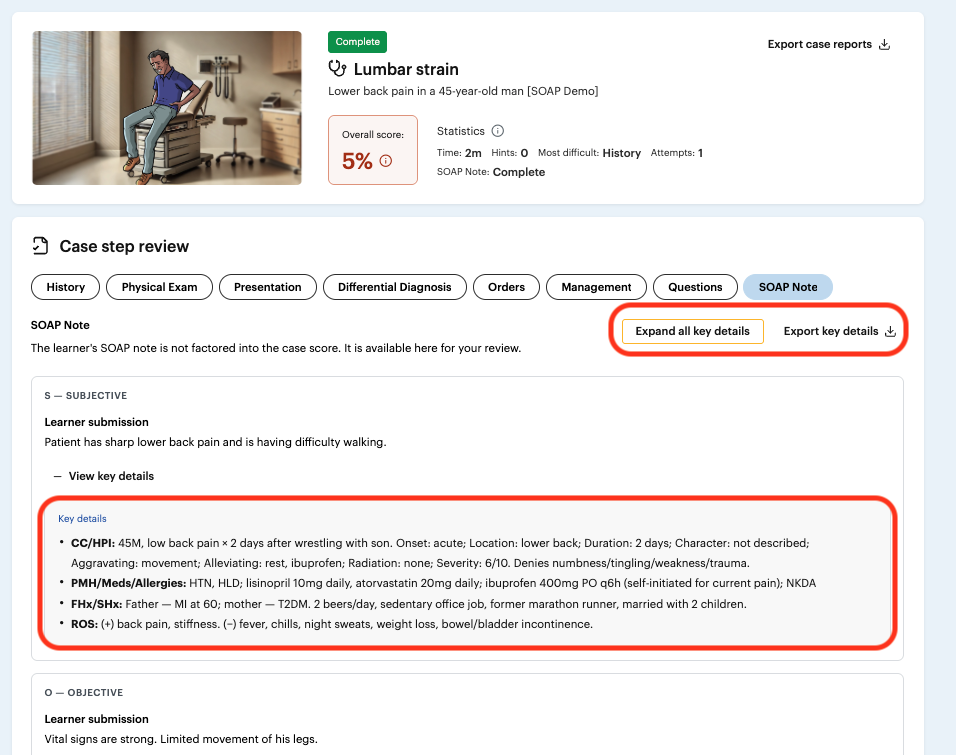
Option 2: From an individual learner's submission
Navigate to the specific learner's case attempt.
Select the SOAP Note step.
Under each section, click View key details to expand the key details inline, or use Export key details at the top of the panel to download them alongside that learner's submission.
This view places the key details right next to what the student actually wrote, making side-by-side grading faster.
Notes
The SOAP note is not factored into the case's overall score — it's provided purely for your review, grading, and feedback.
Key details are written by DDx's clinical content team to reflect the essential findings for that case.
Exported key details can be included alongside the end-of-case PDF for offline grading or record-keeping.